

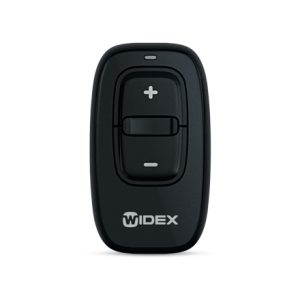
With a Widex remote control, you control your hearing aid easily and discreetly. Whether you want to adjust the volume, switch between programs or temporarily mute your hearing aid, a remote control makes it all a lot easier. On this page you will find all the original Widex remote controls compatible with your hearing aid. So you will always have full control over your listening experience, without having to touch your hearing aid. Not sure which remote control is right for you? Feel free to contact us, we are happy to help. At Horend Goed we only supply original Widex accessories for the best performance.
Showing all 3 resultsSorted by latest

Why use a Widex remote control?
Fitting a hearing aid can sometimes be tricky, especially in company or if you don’t want to touch your device all the time. A Widex remote control is the perfect solution. With the push of a button, you can easily adjust various settings without any hassle.
The benefits of a Widex remote control:
- Easy operation – Adjust settings quickly and discreetly.
- More control over your sound – Control the volume or switch between programs without touching your hearing aid.
- Discreet and convenient – Ideal for situations when you want to inconspicuously change your settings.
- User-friendly design – Clear buttons and a compact size make the remote control easy to use.
With a Widex remote control, you’ll enjoy ultimate convenience and a personalized listening experience.
What Widex remote controls are there?
Widex offers different remote controls depending on the type of hearing aid and your personal preferences. Some popular models are:
- Widex RC-DEX – Compact and simple, with basic functions such as volume adjustment and program switching.
- Widex TV-DEX – Specially designed for TV lovers, allowing you to send and adjust the sound from the television directly to your hearing aid.
- Widex EVOKE RC-DEX – Optimized for EVOKE hearing aids, with additional smart features and a streamlined design.
Not sure which remote control is right for your hearing aid? Then please contact us, we are happy to help you make the right choice.
How do you connect a Widex remote control to your hearing aid?
Pairing a Widex remote control with your hearing aid is easy and can usually be done in a few steps:
- Have your hearing aid and remote control ready – Turn on both devices and keep them near each other.
- Activate pairing mode – Refer to your remote’s manual to set it to the correct mode.
- Pair the devices – Your hearing aid recognizes the remote control and connects.
- Test the functions – Check that the volume, program change and other settings work correctly.
Once paired, your remote is instantly ready to use and you can effortlessly adjust your settings.
Need help with your choice?
Not sure which Widex remote control is right for your hearing aid? Our team of specialists will be happy to help you make the right choice. A well-tuned remote control provides ultimate convenience and an enhanced listening experience.
At Horend Goed we only supply original Widex accessories. Simply order from this page and experience the comfort of a Widex remote control!


